- online-banking-safety-for-seniors-2026Introduction: Online Banking Safety for Seniors in 2026
- Rule 1: Do Not Search Your Bank on Google
- Rule 2: Use a Strong Password
- Rule 3: Never Share Your OTP or Password
- Rule 4: Check for Lock Symbol and Correct Spelling
- Rule 5: Do Not Use Free WiFi for Banking
- Rule 6: Always Log Out
- Rule 7: Set Daily Limit and Turn On Alerts
- Rule 8: Use Virtual Keyboard on Computer
- Rule 9: Keep Two Bank Accounts
- Rule 10: Report Fraud in 3 Days to Get Money Back
- Bonus Tip: How to Spot a Fake Bank Email in 2026
- Real Story: How Mrs. Johnson Saved Her Money
- Quick Checklist for Every Time You Bank Online
- Final Words
- FAQ – Common Questions
online-banking-safety-for-seniors-2026Introduction: Online Banking Safety for Seniors in 2026
Hello! Many seniors in the USA now use online banking to check balance from home. It is easy and fast. But one small mistake can steal all your money in 2 minutes. Scammers make fake bank websites that look real.
In this guide, you will learn 10 simple and golden rules for online banking safety. Follow these rules to keep your money 100 percent safe in 2026.
Rule 1: Do Not Search Your Bank on Google
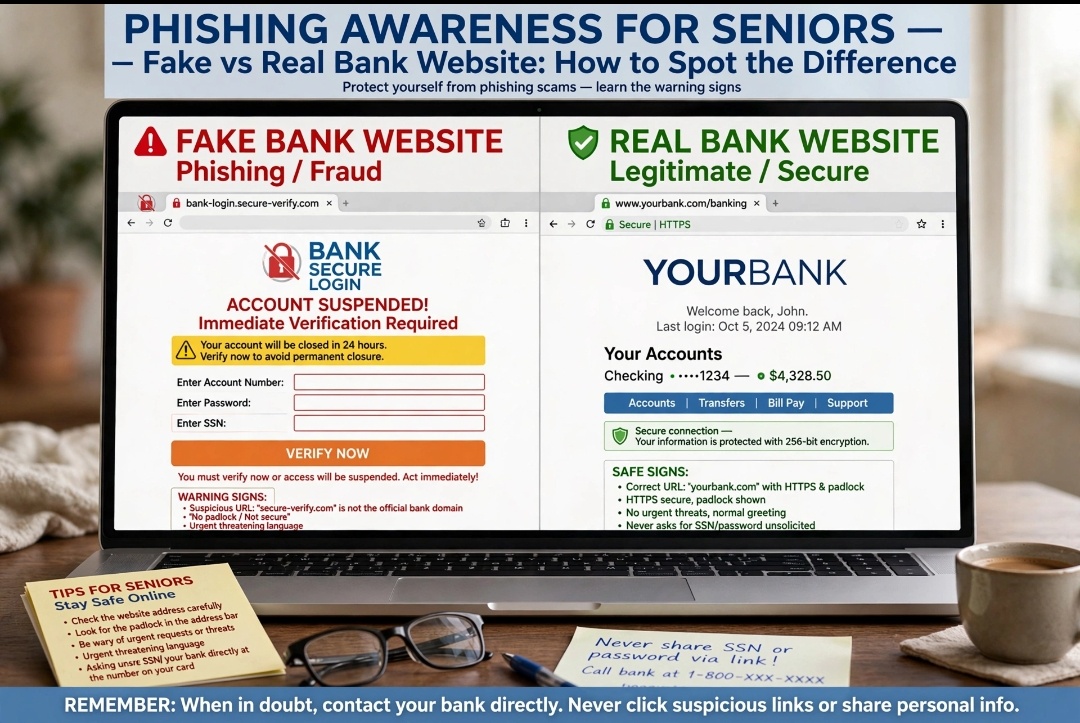
This is the biggest mistake. Many people search “Bank of America login” on Google and click the first link. Many first links are fake ads made by scammers.
Safe Way: Always type your bank website address yourself. For example, type bankofamerica.com in the top bar. Or use only the official bank app from the App Store. Never click a bank link from a text message or email.
Rule 2: Use a Strong Password
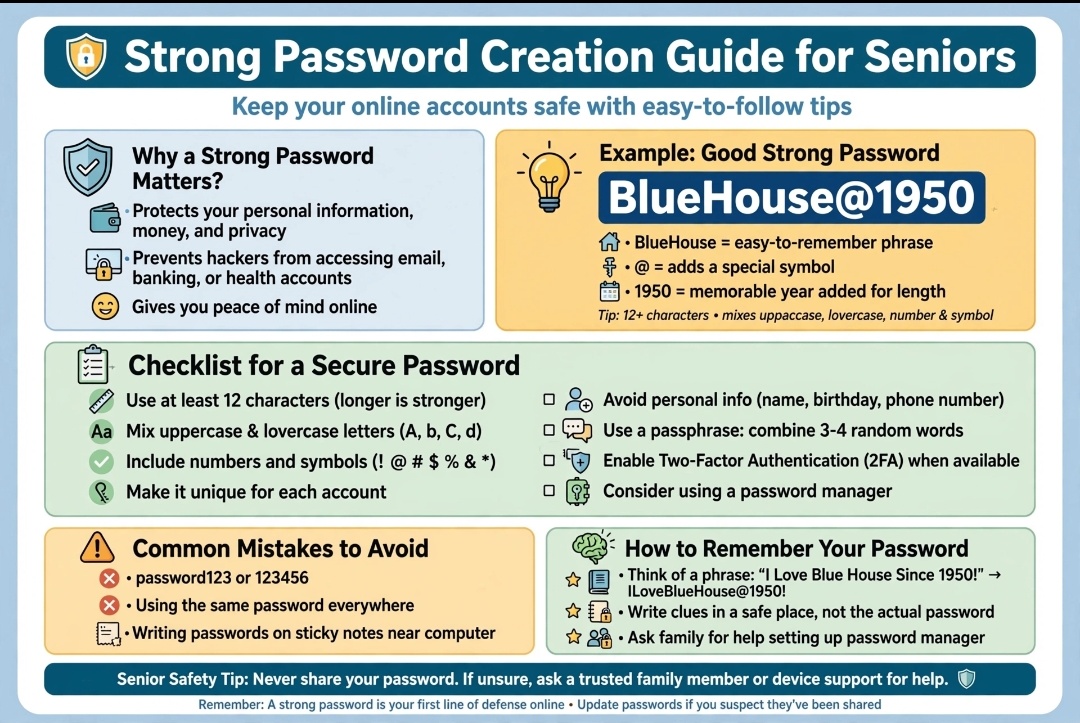
Do not use 123456, your birthday, or your phone number as a password. Hackers can guess it fast.
Easy Strong Password Trick: Use two simple words plus a number and a symbol. Example: BlueHouse@1950. This is strong and easy to remember. Change your password every 3 months.
Rule 3: Never Share Your OTP or Password
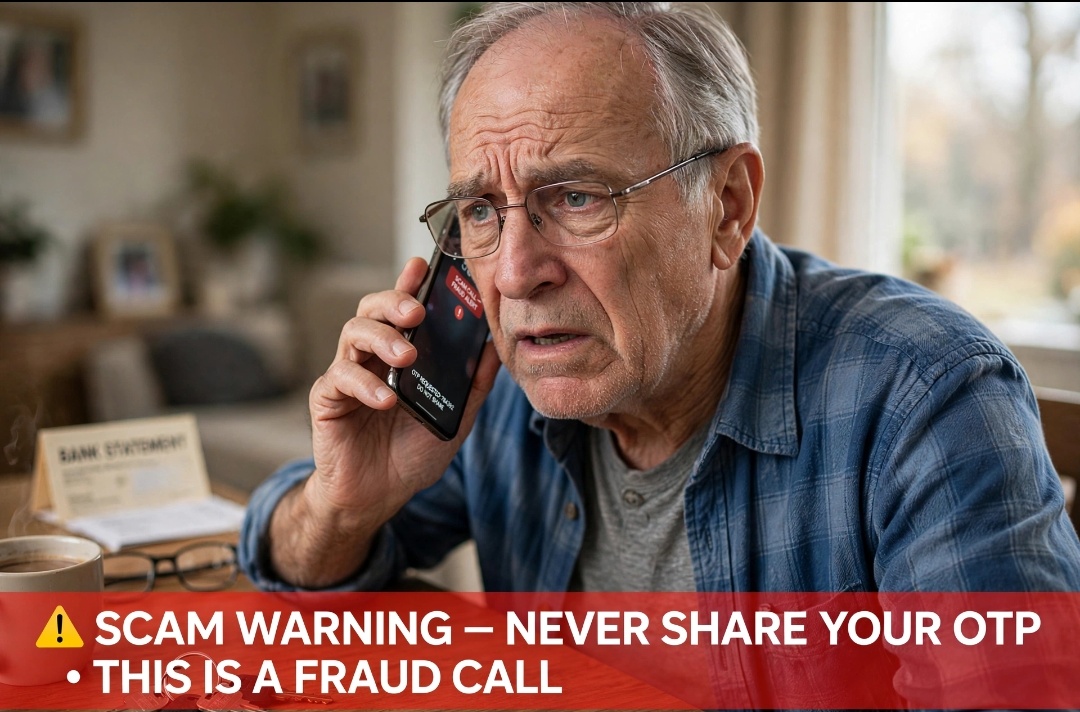
Remember this important rule: Your bank will NEVER ask for your OTP, password, or CVV on a phone call. If someone calls and says “I am from the bank, tell me your OTP”, it is a scam. Hang up the phone right away.
Scammers say “Your account will be closed today” to make you scared. Do not be scared. Call the phone number on your bank card to check.
Rule 4: Check for Lock Symbol and Correct Spelling
Before you type your password, look at the top of the website. You must see a small lock icon and https://. Also check spelling. Fake site: bankofamerica.login-secure.com Real site: bankofamerica.com. One extra word means it is fake.
Rule 5: Do Not Use Free WiFi for Banking
Never use free WiFi at a coffee shop, airport, or hotel for online banking. Hackers can see your password on free WiFi. Always use your own mobile data or home WiFi. It is much safer.
Rule 6: Always Log Out
Many people just close the app after banking. This is not safe. If you lose your phone, the next person can open your bank account.
Always click the LOGOUT button. Do not click “Remember Password” on your phone or computer.
Rule 7: Set Daily Limit and Turn On Alerts
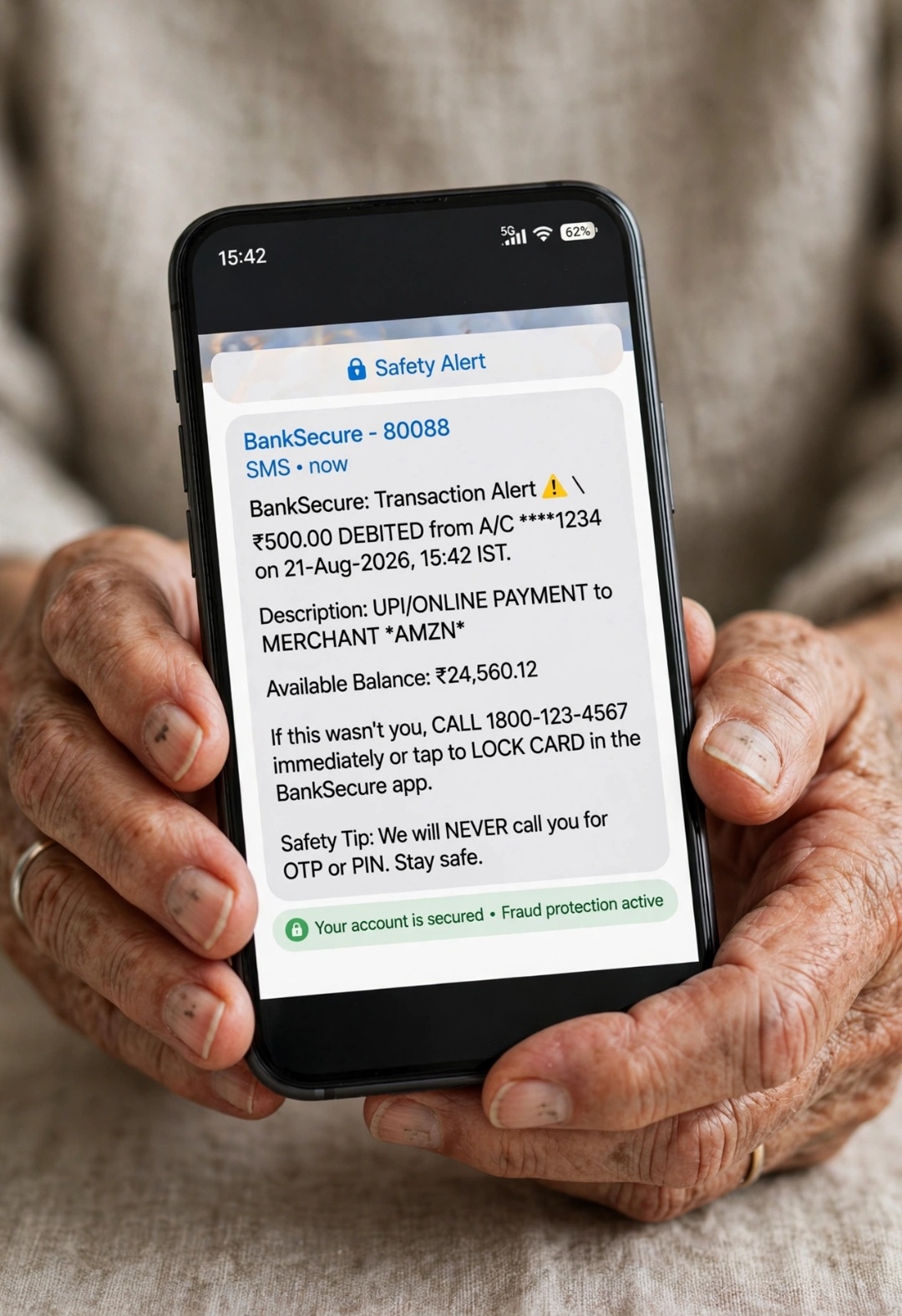
Call your bank one time. Tell them: “Please set my daily limit to $500 and turn on text alerts for every transaction”. So if someone steals money, you get a text in 10 seconds and you can block your card fast. This service is free.
Rule 8: Use Virtual Keyboard on Computer
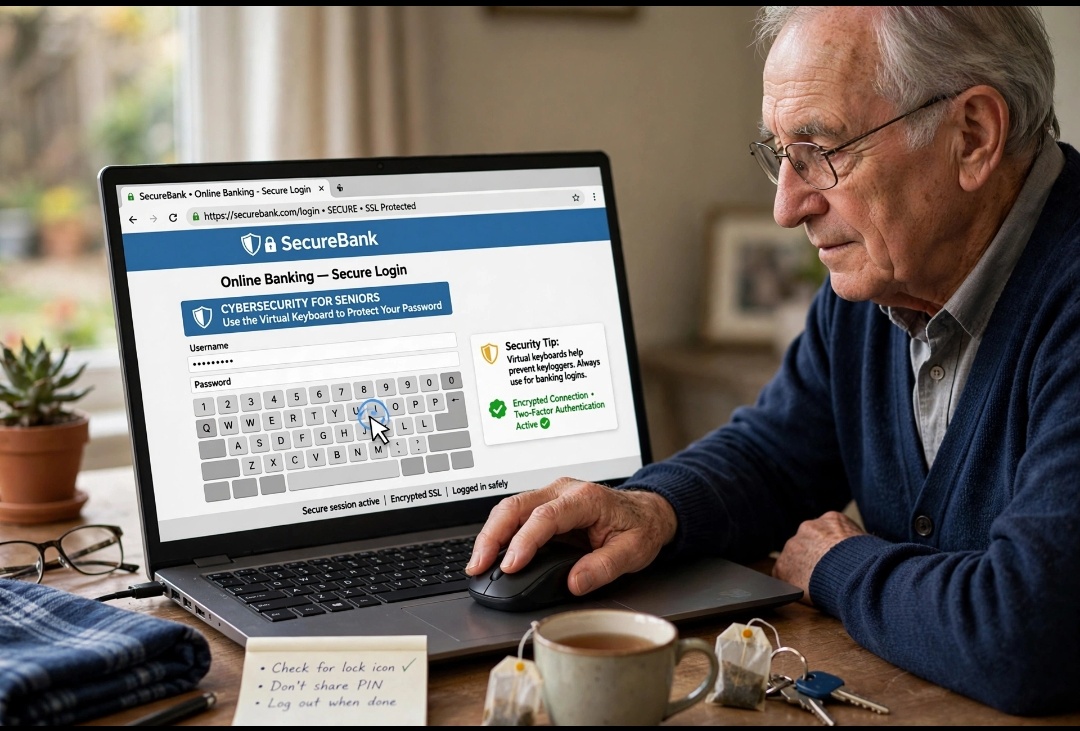
If you use a computer for banking, use the virtual keyboard. A virus can record what you type on a normal keyboard. A virtual keyboard is a keyboard on the screen. You click letters with your mouse. You can find it on the bank login page.
Rule 9: Keep Two Bank Accounts
Do not keep all your money in one account for online banking. Keep two accounts. Account 1: Main account with most money – no online banking. Account 2: Small account with $500 for daily online use. If fraud happens, you lose only $500, not all your savings.
Rule 10: Report Fraud in 3 Days to Get Money Back
If money is stolen, you have 3 golden days. In the USA, if you report within 3 days, the bank must give your money back fast under Regulation E.
What to do: 1. Call the number on your bank card and block online banking. 2. Call your bank fraud team. 3. Go to your local bank branch next day with your ID.
Bonus Tip: How to Spot a Fake Bank Email in 2026
Scammers send very real looking emails in 2026. They use AI to write perfect English. How to spot them?
3 Signs of Fake Email:
1. Email says “Urgent Action Required” – Real banks never say this.
2. Email address is wrong – Real: support@bankofamerica.com Fake: support@bankofamerica-security-alert.com
3. It has a big button “Click Here to Verify” – Never click this button. Go to bank website yourself and login.
If you get such email, delete it. Do not reply. If you are not sure, call your bank directly.
Real Story: How Mrs. Johnson Saved Her Money
Mrs. Johnson is 72 years old from Texas. Last month she got a text: “Your Bank of America account is locked. Click link to unlock”. She almost clicked.
Then she remembered Rule 1 and Rule 3. She did not click the link. She called the number on her bank card. The bank said “It is a scam, your account is safe”. She saved $12,000.
You can also save your money like Mrs. Johnson. Just stop, think, and call your bank. One phone call can save all your savings.
Quick Checklist for Every Time You Bank Online
Print this small checklist and keep it near your laptop:
Before Login: Am I using my own WiFi? Yes / No
During Login: Do I see lock symbol and correct spelling? Yes / No
After Banking: Did I click LOGOUT? Yes / No
Every Week: Did I check my bank statement for unknown charges? Yes / No
If all answers are Yes, your banking is safe.
Final Words
Online banking is very helpful for seniors if you use it safely. Just remember three things: Type bank address yourself, never share OTP, and always log out. Share these 10 rules with your friends.
FAQ – Common Questions
Q1: Is online banking safe for seniors over 70 in the USA?
Yes, it is 100 percent safe if you follow these 10 rules. Use the official app, your own data, and set alerts.
Q2: What if I clicked a fake bank link by mistake?
Turn off your internet, change your password from another phone, and call your bank to block online banking.
Q3: Can a real bank employee ask for my password?
No. Never. No bank employee will ever ask for your password or OTP. If someone asks, it is a scam.
Also Read: ATM Card Safety for Seniors: 8 Rules to Prevent Card Cloning in 2026